
SEE Result 2082: All the students who appeared in the SEE Class 10 exams have been eagerly waiting for their results. The SEE Class 10 exam was conducted from 20th March to 2nd April 2025. Now, the results have been announced and will be published by 3rd July 2025 (19th Asar 2082). If you want to know your SEE Result 2082, you can find all the important details in this article.
SEE Result 2082
The National Examination Board (NEB) of Nepal conducts the SEE exam every year for Class 10 students across the country. This year, the SEE result is expected to be published on 3rd July 2025 (19th Asar 2082). Students can check their grades, CGPA, and other details on the official NEB websites. Results can also be checked via SMS and IVR on mobile phones.
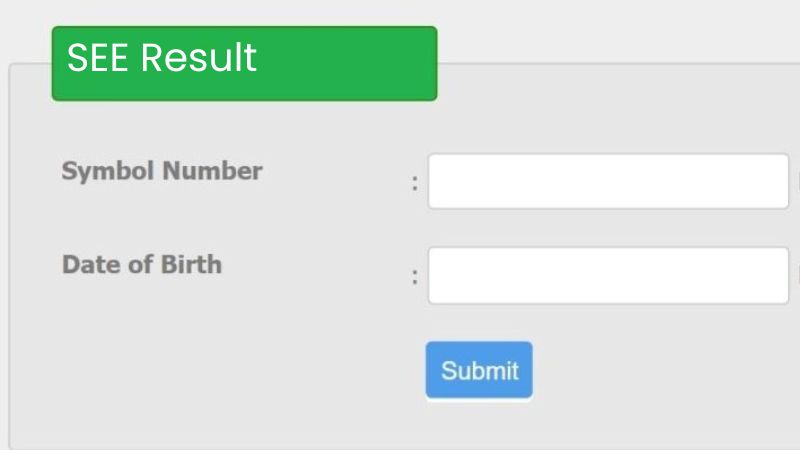
You can check your SEE result 2082 through websites like see.ntc.net.np, neb.gov.np/seeresult, or result.see.gov.np/result by entering your exam details. You can also use SMS or IVR (phone call) to get your result quickly and easily.
SEE Result 2082 Date And Time
| Exam Name | Class 10 (Secondary Education Examination) |
| Exam Conducting Body | National Examination Board (NEB) |
| Category | SEE Result |
| Status | Available Soon |
| SEE 10th Result Date | 3rd July 2025 19th Asar 2082 |
| Official Website | see.ntc.net.np |
Latest Update on SEE Result 2082
The SEE results are expected to be published within a week. According to Dr. Ganesh Prasad Bhattarai, Examination Controller at the NEB, the final preparations are being made. The checking and verifying of answer sheets are almost complete, and the data entry process is moving quickly. If everything goes smoothly, the results may be published even before the third week of Asar.
Earlier, the result publication was scheduled by Asar 20, but it was delayed due to teachers’ protests in Kathmandu from Chaitra 20, 2081 BS to Baisakh 17, 2082 BS.
About 510,000 students participated in this year’s SEE exam, which was held from Chaitra 7 to Chaitra 19, 2081 BS.
How To Check SEE Result 2082 on see.ntc.net.np?
Follow these simple steps to check your SEE result 2082 quickly:
- Go to the official website: see.ntc.net.np
- Look for the SEE 2082 result link on the homepage and click on it.
- A new page will open. Enter your symbol number and date of birth.
- Click on the ‘View Result’ button.
- Your SEE result will appear on the screen.
How to Check SEE Result 2082 Via SMS
You can also check your SEE result 2082 through SMS. Follow these steps:
- Open your phone’s messaging app.
- Type SEE (space) your Symbol Number. Example: SEE 29320393
- Send the message to 1600 or 35001.
- You will receive your result in a few seconds.
How to Check SEE Result 2082 Through IVR Call
You can also check your SEE result 2082 by making a phone call. Follow these steps:
- Dial 1600 from your NTC SIM card, landline, PSTN, or CDMA phone.
- Follow the voice instructions to hear your result.
Details Available in SEE Result 2082
Your SEE result 2082 will include the following details. If you find any mistakes, you can contact the NEB office.
- Student Name
- Registration Number
- Symbol Number
- School Name
- Date of Birth
- CGPA
- Grade in Each Subject
- GPA in Theory and Practical
SEE Result 2082 Grading System
| GPA | Marks | Description |
| A+ | 90-100 | Outstanding |
| A | 80-89 | Excellent |
| B+ | 70-79 | Very Good |
| B | 60-69 | Good |
| C+ | 50-59 | Satisfactory |
| C | 40-49 | Acceptable |
| D+ | 30-39 | Partially Acceptable |
| D | 20-29 | Insufficient |
| E | 01-20 | Very Insufficient |
What After Checking SEE Result 2082?
If you are not satisfied with your SEE result, you can apply for rechecking or take grade improvement exams. Students who pass the SEE can choose to study Science, Management, or Arts in Class 11. This will guide your future studies and career path.